A Salesforce administrator usually finds the backup gap at the worst possible moment — a bad import overwrites records, a user deletes the wrong parent object, and the latest export is already gone. What should be a routine fix turns into hours of manual recovery work as teams rebuild parent-child relationships from CSV files.
That pressure is built into Salesforce's shared responsibility model. While Salesforce secures infrastructure, each organization is responsible for protecting the data and metadata inside its own environment.
This article identifies seven measurable benefits that backup strategies provide to Salesforce administrators and compliance managers. Each benefit maps to a specific operational or regulatory requirement, helping teams compare native-tool gaps to compliance needs and define the backup capabilities their environment must have.
As SaaS backup expectations continue to rise and recovery requirements tighten, this shift matters most for Salesforce teams — where recovery expectations are growing faster than standard export tools can support.
Where Native Salesforce Backup Falls Short
Native Salesforce backup cannot meet most enterprise recovery targets, and the limits are specific, operational, and easy to hit in complex environments.
Native Data Export runs weekly for Enterprise Edition and only once every 29 days for lower editions, with export files expiring after just 48 hours. The output CSV format does not preserve relational integrity across parent and child records, which means administrators must download files, track versions, and reconstruct relationships outside Salesforce — a process that does not scale when a large organization needs fast, selective recovery.
Other native safeguards carry similar constraints. The Recycle Bin retains deleted records for 15 days, after which they are permanently deleted, and it is not designed to restore previous versions of overwritten data. Salesforce's former Data Recovery Service, which once served as a last resort, was retired effective July 31, 2020 — leaving administrators without any automated or timely fallback when production data changes unexpectedly.
What Scalable Backup Requires
A scalable Salesforce backup strategy must satisfy recovery targets and compliance controls at the same time. That means defining technical requirements before comparing tools.
NIST SP 800-209 baseline
NIST SP 800-209 states that organizations should:
- Define RPO and RTO for each data asset
- Set backup frequency and retention periods
- Encrypt data at rest and in transit
- Perform test restores
In Salesforce environments, those requirements shape backup cadence for production data, retention for regulated records, and restore testing for release recovery. They also affect DevSecOps workflows because teams need recoverable data states after deployments, integrations, and administrative changes.
NIST SP 800-53 Rev. 5 and contingency planning
NIST SP 800-53 Rev. 5 extends related controls to cloud systems through the CP family. For Salesforce teams, that matters because backup design is part of contingency planning, not a separate administrative task. It also intersects with Salesforce DevSecOps because change control, release governance, and audit ability depend on reliable recovery when deployments or integrations affect production data.
Regulatory frameworks
These controls also support multiple regulatory frameworks:
- GDPR Article 32(1)(c) — Requires restore ability after an incident. For Salesforce teams, that applies to customer and employee data stored in production orgs and exposed to integration or admin error.
- HIPAA cloud guidance — Requires SaaS agreements to address backup procedures and recovery procedures. In Salesforce, that affects how covered entities document recovery steps for protected health information across data and metadata-dependent workflows.
- SOX Section 404 and SEC Rule 17a-4 — Add retention and control expectations for regulated records. In Salesforce DevSecOps workflows, those controls matter when production changes affect financial records, audit evidence, or supervised data retention.
7 Benefits of a Scalable Backup Strategy
Each benefit below addresses a specific gap that standard tools leave open. Together, they show what a backup strategy must do as Salesforce environments grow in complexity.
1. Reduced recovery time and data loss exposure
Backup value appears during restore, not export — which is why reduced recovery time is the first operational payoff. The faster a team can recover, the less business disruption it faces and the less data is lost between restore points.
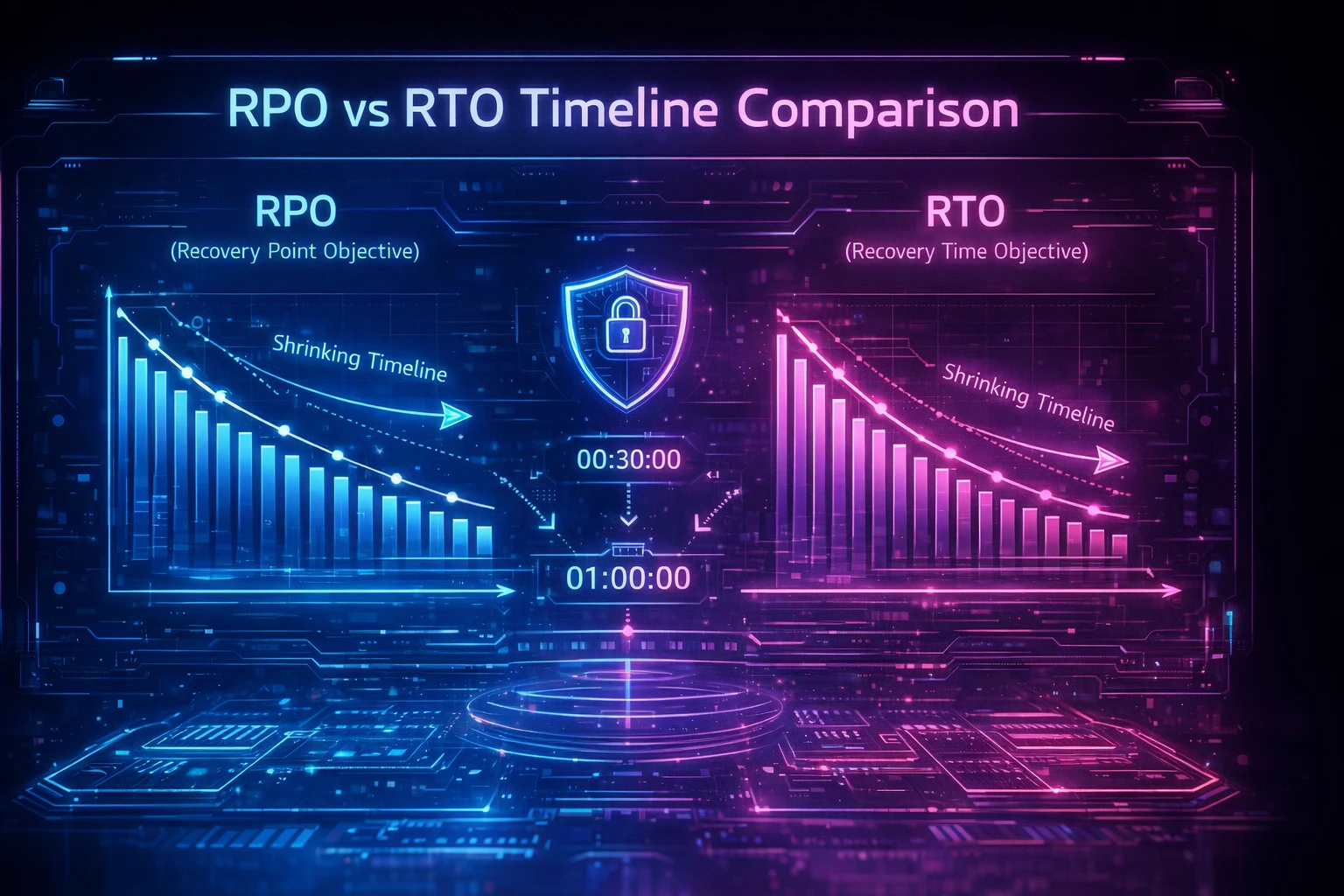
Two metrics define that exposure: RTO measures the maximum downtime before business impact becomes unacceptable, while RPO marks the point in time to which data must be recoverable. Scalable backup architectures shrink both by using more frequent capture points and automated recovery workflows.
2. Granular recovery without manual reconstruction
Most Salesforce incidents do not require a full-environment restore. Administrators usually need to recover a specific record set, object, or field after human error or a flawed import.
Granular recovery lets teams isolate the affected data instead of rebuilding entire datasets. That matters in Salesforce because a deleted parent record can affect child records and reference links across the data model. Without selective restore, administrators must re-create records in sequence and repair IDs by hand.
3. Automated audit trail generation
Backup operations create compliance evidence, and manual evidence collection wastes time before every audit. Automated audit trails turn backup activity into documentation that compliance teams can review continuously.
A scalable backup process records backup jobs, restore actions, and access events as they happen. That shortens audit preparation and reduces gaps caused by screenshots, spreadsheets, and ad hoc notes. It also gives Salesforce teams a defensible record when an auditor asks who restored what and when.
4. Proactive detection of data corruption
Corruption is easier to contain when teams detect it early. A scalable backup approach helps administrators spot unusual data changes before they spread across objects and integrations.
This capability matters because human error remains a leading cause of Salesforce data loss. A misapplied bulk update or broken integration can corrupt thousands of records quickly. Alerts tied to backup and change activity give teams a chance to stop the damage before recovery becomes larger and slower.
5. Cross-environment consistency
Salesforce recovery planning must cover more than production records. Stable recovery depends on protecting the components that make the environment run.
That includes custom fields, page layouts, Apex triggers, validation rules, files, and sandbox-related configuration. NIST contingency planning guidance requires backup strategies to cover relevant components needed to operate the system. In Salesforce, that means backup scope must extend beyond tabular data alone.
6. Strategic resilience as competitive advantage
Reliable recovery improves more than incident response. It also strengthens how the organization presents its operational discipline to customers, partners, and regulators.
Teams with tested recovery procedures respond faster during disruptions and communicate more clearly under pressure. That credibility matters during vendor reviews and contract discussions that include business continuity checks. In Salesforce environments that support revenue, service, or regulated workflows, resilience becomes part of operational trust.
7. Correcting the recovery investment imbalance
Many Salesforce teams spend heavily on prevention and far less on recovery. That leaves a visible gap when bad data changes still reach production.
A scalable backup strategy corrects that imbalance by funding recoverability as a core control. It supports the Respond and Recover functions in federal cybersecurity frameworks. For Salesforce administrators, that means recovery becomes a planned capability instead of an emergency workaround.
Closing the Backup Gap in Salesforce Environments
SaaS backup is moving from optional safeguard to expected control, and Salesforce teams feel that pressure first when restores must happen quickly, cleanly, and with full confidence in the result.
An enterprise backup platform purpose-built for Salesforce should support scheduled and on-demand backups, protect data, files, and metadata together, and allow recovery at the level the incident requires, whether that is a single field, a record set, an object, or a broader environment. For teams that also need compliance documentation, Flosum generates audit trails for compliance reporting.
Protecting Salesforce data starts with recovery options and storage choices that match your compliance needs. Request a demo with Flosum to discuss backup and compliance requirements in your environment.

Thank you for subscribing