
At Flosum, we work closely with our customers to make Salesforce DevOps seamless, reliable, and efficient. One challenge we consistently heard about was Salesforce Flow management, specifically, understanding what changed between Flow versions and deploying those changes with confidence. Manually reviewing XML files is time-consuming, error-prone, and simply not scalable.
That’s exactly why we built Flosum Flow Navigator—now officially released—to transform how teams review, compare, and deploy Salesforce Flows.
Manage Your Flows With Confidence
Flosum Flow Navigator is a powerful, native visualization experience built directly into Flosum DevOps. It closes a major gap in the Salesforce ecosystem by giving admins, release managers, and product teams a clear, visual way to understand exactly what changed between any two versions of a Flow, without touching XML.
Instead of guessing or manually diffing files, you can now see Flow changes instantly through an intuitive, interactive diagram.
Key Capabilities That Transform Your Workflow
Instantly Visualize Every Change
Say goodbye to manual XML comparisons. Flow Navigator presents a clean, color-coded diagram that clearly highlights differences between Flow versions:
- Green highlights newly added elements
- Orange indicates modified or repositioned elements
- Deleted elements are intentionally omitted to reduce visual noise and keep the focus on the current Flow state
This makes even complex Flow changes immediately understandable.
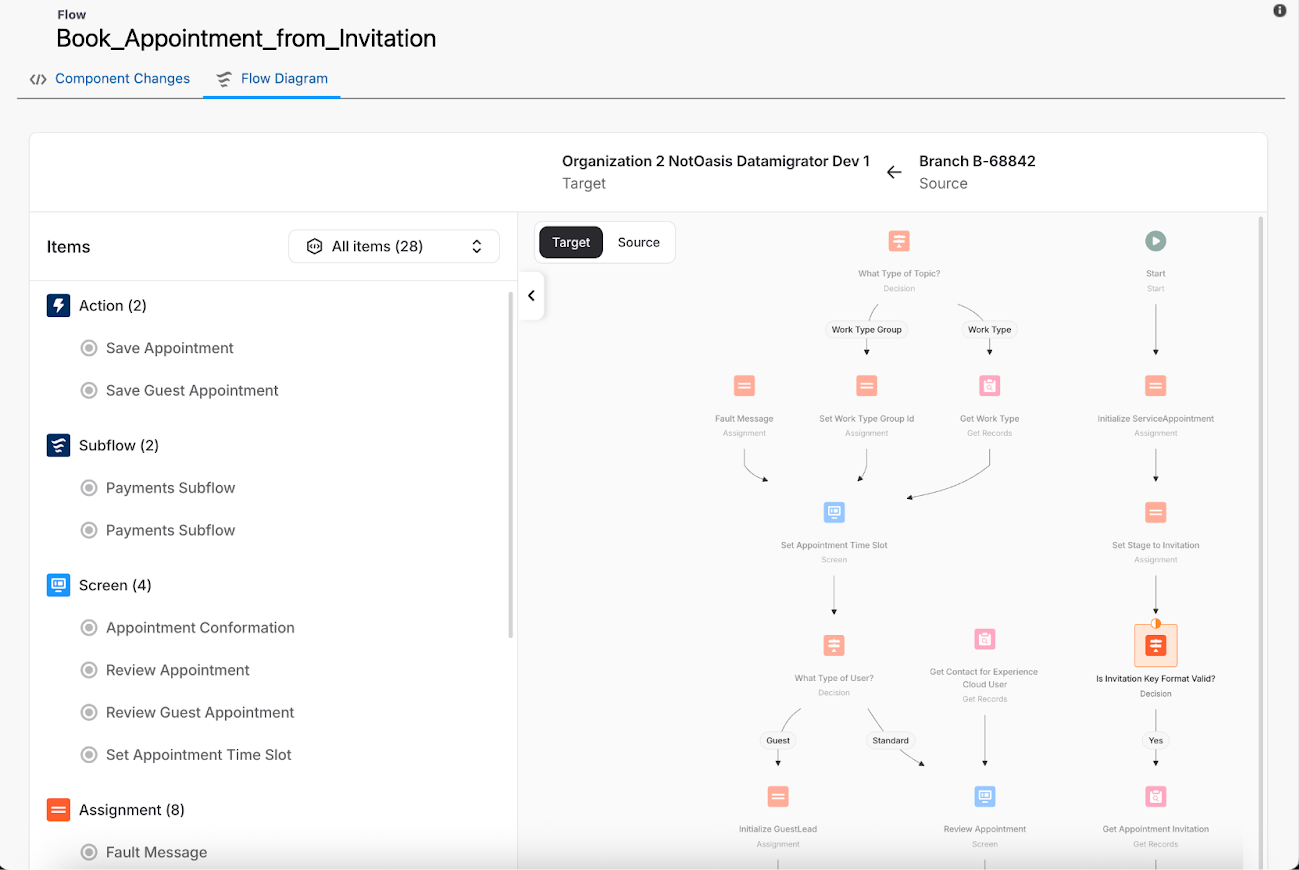
Focus on What Matters with Smart Comparison
Flow Navigator’s intelligent diff engine filters out cosmetic or non-functional changes—such as element reordering—that don’t impact Flow logic. This dramatically reduces false positives and ensures reviewers focus only on meaningful changes.
Dive Deep with Fully Interactive Diagrams
The Flow diagram isn’t static. It behaves much like the Salesforce Flow Builder itself:
- Zoom and pan across large Flows
- Click any element to open a detailed side-by-side comparison
- Clearly understand what changed, where, and why, without switching tools
This makes Flow reviews faster, clearer, and far more intuitive.
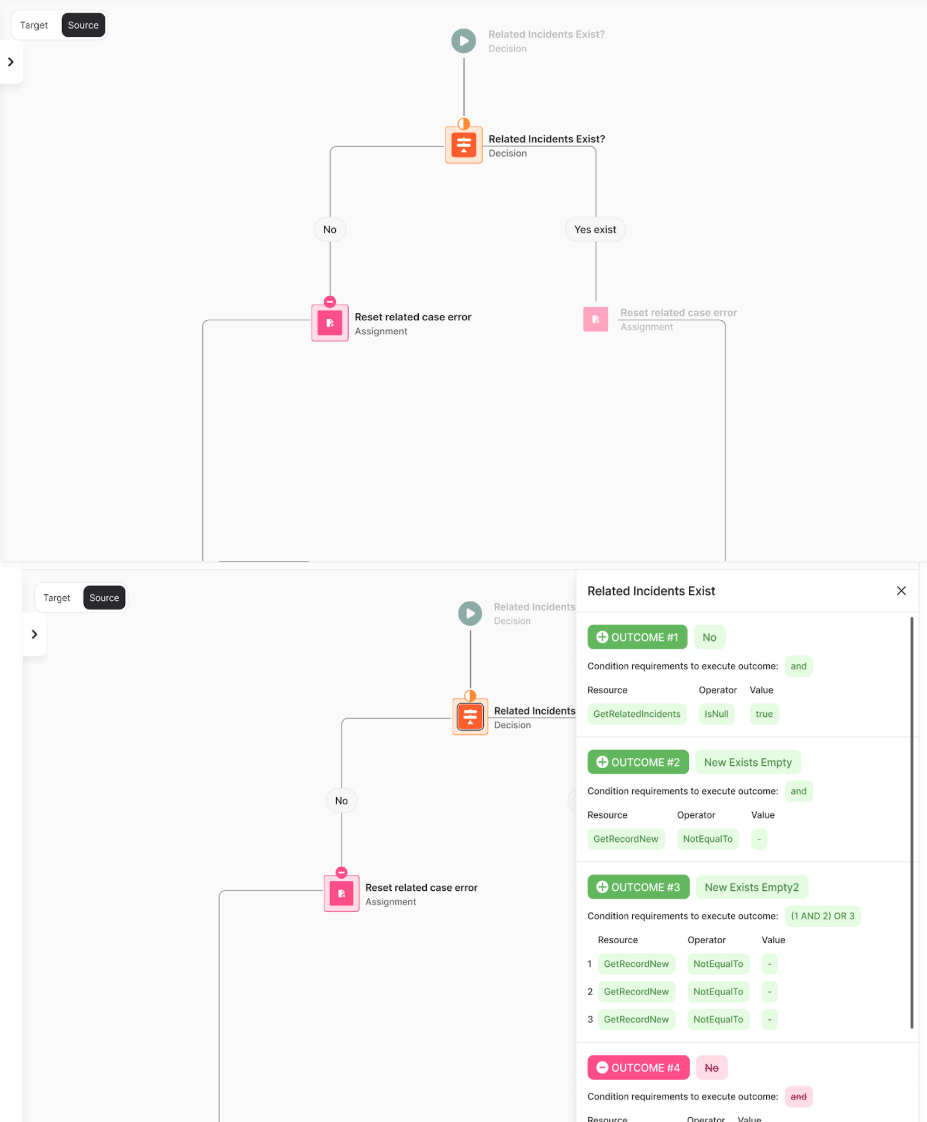
Deploy with Absolute Assurance
Flow Navigator is deeply integrated into the Flosum deployment process. Before deployment, it automatically compares the source Flow with the version in the target org, giving teams a final validation step before anything goes live.
You can also choose to auto-activate the Flow after a successful deployment, streamlining release workflows even further.
The Value to Your Team
Minimize Deployment Errors
Visual validation helps catch issues early and ensures deployments are accurate and intentional.
Accelerate Review Cycles
What once took hours of manual review can now be completed in minutes through visual inspection.
Enhance Auditability and Governance
Every Flow version and change is easy to track, providing a clear visual audit trail for compliance and internal reviews.
Availability and Support
Flosum Flow Navigator is currently available and fully supported for all customers.
Want to learn more about Flosum DevOps, Flosum Flow Navigator, or other solutions and features that can help support your enterprise Salesforce success? Connect with a Flosum expert today!

Thank you for subscribing