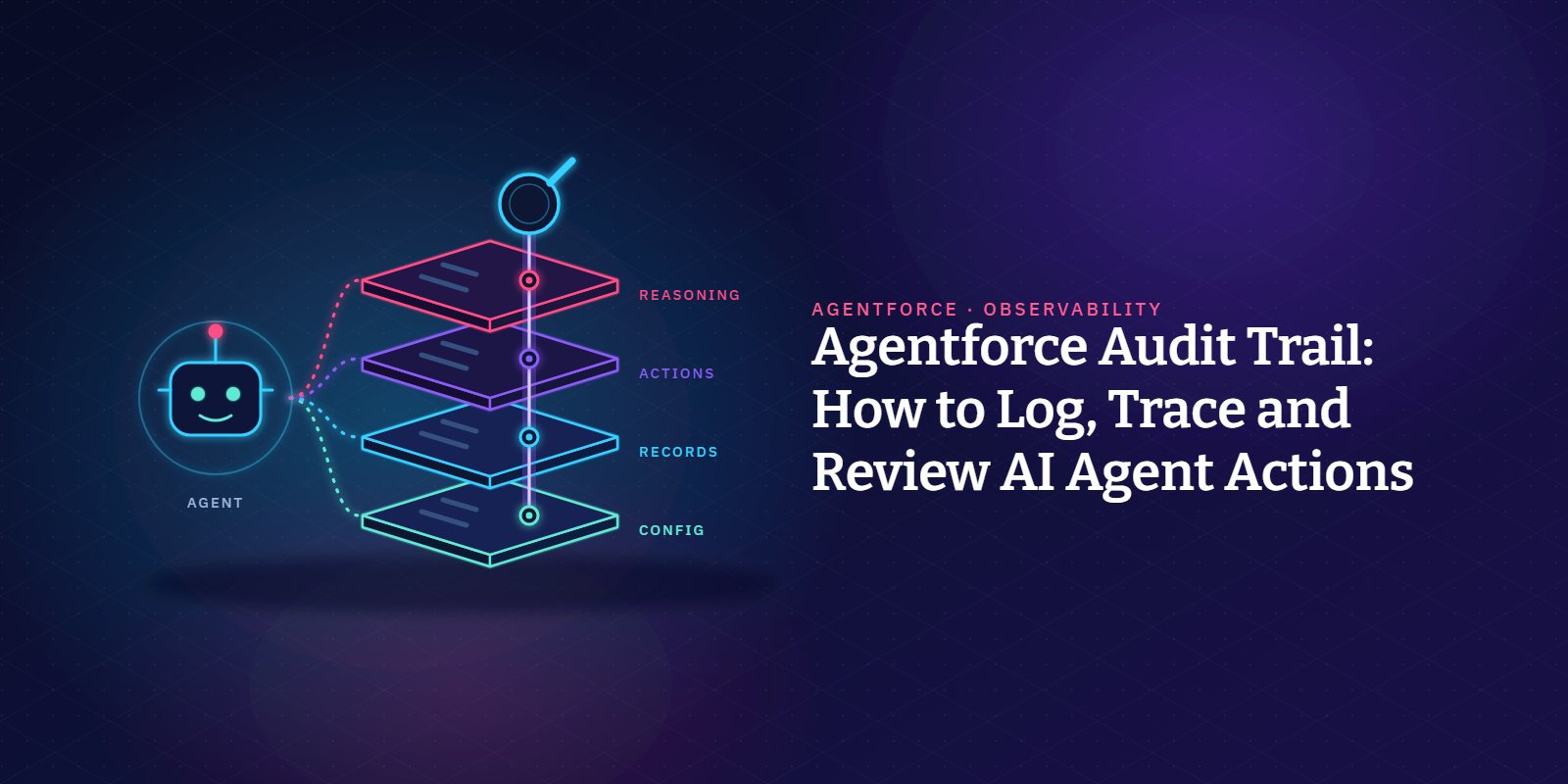
An Agentforce audit trail is the joined-up record of what an AI agent saw, decided and changed in your org. You build it in Salesforce from session trace data in Data 360 (formerly Data Cloud), plus the record and setup history your org has been keeping all along.
This guide is for the admins, security leads and auditors who end up answering for what AI agents do. We'll go through what to log, how to follow one agent action back to its cause, how long each log sticks around, and who should be reading them.
Why do autonomous agents need their own audit trail?
Field History Tracking will tell you a field changed, when it changed and which user changed it.
It doesn't say which customer message, or which line in the agent's instructions, led to the update.
Filling that gap is on you, not Salesforce. The shared responsibility model for Agentforce lists activity audits as a customer task.
Our post on agent-aware governance gets into why governance built for human-paced work falls short once agents act on their own.
What should an Agentforce audit trail capture?
We split agent audit logs into four layers, top to bottom. The table shows what each layer answers and where Salesforce keeps the evidence.
Conversation and reasoning
The conversation layer comes from Agentforce Session Tracing. It records each turn, the reasoning engine's executions, the actions called, prompt and gateway inputs and outputs, errors and the final reply, all under one session ID.
Audit and Feedback runs next to it, storing Einstein Trust Layer data (data masking results, toxicity scores) and user feedback in Data 360.
In Salesforce's words, it's there so you can check that AI usage complies with your security, privacy, regulatory and AI governance policies. Switching both on is covered in our Agentforce security practices post, so we won't repeat the steps.
The feedback has a practical use, too. Salesforce suggests using it to improve instructions and prompt templates, which gives you a feedback loop on agent interactions.
What about the model providers? Per Trust and Agentforce, the Einstein Trust Layer follows a zero data retention policy, so third-party LLMs don't keep your data or train on it.
The same page adds that using agents can still mean data gets stored, and Audit and Feedback is one of those places: prompts, responses and trust signals land in Data 360.
Those trust signals come from the Trust Layer's own checks. Its prompt defense includes prompt injection detection, and toxicity detection runs on what the LLM generates.
Actions
Each action shows up as its own step in the trace, with a name, a subtype (Apex, Flow or MCP) and the values that went in and came out.
Event Monitoring is less direct.
Its supported event types don't include anything Agentforce-specific, so you'll be reading Flow Execution, Apex Execution, Invocable Action and REST API events instead. Event Monitoring logs those whenever an agent's action triggers one.
Record changes
Turn on Field History Tracking for each field an Agentforce agent is allowed to edit.
The retention table below shows how long that history lasts, with or without Field Audit Trail, and our security post covers where Salesforce Shield fits.
One catch matters for agents that write case notes or summaries. On long text fields (over 255 characters), field history only records that the field was edited, not the before and after values.
Know each agent's identity
The user an agent runs as is who it acts as in your org. Service agents get a dedicated agent user on the Einstein Agent User profile.
Employee agents borrow the logged-in user, along with that person's permissions, field-level security and sharing.
Configuration and access
Plenty of agent changes involve no code at all. Someone rewrites an instruction, swaps an action, assigns a permission set.
Setup Audit Trail covers the permission set side, logging the date and the user behind each change. View Setup Audit Trail shows the 20 most recent.
If an admin made the change through Setup with Agentforce (Beta), the agent's name shows in an AI Agent column as well.
Instructions and actions need their own record, so keep agent metadata in version control. Each edit then has an author and goes through the same review process as the rest of your releases.
How do you trace an agent action end to end?
Tracing means walking a single record change back to the request that triggered it. It works because the objects in the Session Tracing data model share IDs.
Three objects do the heavy lifting. AIAgentSession holds the whole conversation, AIAgentInteraction holds one request and the agent's answer, and AIAgentInteractionStep holds every operation inside that turn.
(AIAgentSessionParticipant and AIAgentInteractionMessage cover participants and individual messages.)
Worked example: tracing a case update
A case flips to Closed overnight and nobody on the team touched it. Here's the order we'd check things in:
- Field history first. Note the record, the field, the timestamp and the user.
- Then the session. Filter AIAgentSession by start time or channel, or go through the linked messaging session or voice call.
- Open the interaction. What did the customer ask, and what did the agent say back?
- Read the steps. Each one has its type, name, input, output and any error, plus the variable values before and after it ran.
- Line them up. Compare the action step's output and end time against the field history entry.
For reports, Salesforce wants you querying these data model objects rather than the data lake objects beneath them. Fresh trace data reaches Data 360 within minutes.
Exporting traces to your observability stack
If your security team works in Splunk or Datadog, look at the Session Trace OTel API.
It returns one full session as OpenTelemetry data (turns, LLM calls, actions, metric scores, feedback), which tools that accept OTLP, such as New Relic, can ingest.
It's a beta, and the limits show it.
You get one session ID per request, and only sessions that started in the past 72 hours, so anything auditors need for longer has to be pulled on a schedule.
Access runs through OAuth 2.0 and an External Client App, so it uses tokens rather than a stored password.
Data 360 data space and governance rules still apply to whoever makes the call, so the API never returns more than that user could already see.
How long does Salesforce keep agent audit data?
It varies a lot from log to log. Here's what Salesforce documents for each one.
If your data retention policy asks for more, download Setup Audit Trail before entries age out, and schedule your trace exports. For Session Tracing itself, your Salesforce account team is the one to ask.
How do you monitor Salesforce agents day to day?
Day-to-day monitoring lives in Agentforce Observability (formerly Command Center), Salesforce's view across every deployed agent.
You get session tracing, conversation clusters by intent, quality scores and health KPIs, with near real-time alerts on key metrics.
Salesforce describes it as a way to measure AI agent activity, manage how humans and agents work together, and drive continuous improvement.
It's also been unmetered for all customers across Agentforce SKUs since July 2026.
One change deserves a closer look. Deflection and abandonment are now scored by an LLM working from editable prompts, so read those prompts before the numbers go into a report.
What Observability shows per agent
Per agent, Salesforce surfaces:
- escalation, deflection and abandonment rates
- quality scores for relevance and helpfulness
- errors in the session flow, sliced by subagent (formerly topic) or action
- customer feedback
- the credits each agent has consumed
Who should review agent activity?
We'd split reviews across business, admin, security and compliance teams, as in the table below. Whatever split you pick, put a name on each row and don't make the agent's builder its only reviewer.
Protecting the audit data itself
The traces need an access list of their own.
Salesforce warns that stored audit and trace data can contain customer data, including personal, health and payment card information, so restrict who can open that data space.
Masking won't help you here. Einstein Trust Layer data masking is disabled for agents.
Keep sensitive fields away from the agent user with field-level security instead.
Keeping audit evidence together
File release approvals, access reviews and sample traces per agent, in one place.
Our guide to deploying Agentforce agents covers version control and approvals in the release process. For the wider Salesforce picture, see our audit trail guide and our post on unified audit trails.
Working under SOX or other regulations? Our guide to Agentforce compliance maps those rules to agent controls.
Agentforce audit trail checklist
Before an agent goes live, check you have:
- Session Tracing and Audit and Feedback switched on
- Field History Tracking on every field your AI agents can edit
- Event Monitoring picking up Flow Execution, Apex Execution, Invocable Action and REST API events
- a Setup Audit Trail download from before the 180-day window closes
- agent metadata in version control, with an approval for each release
- scheduled trace exports, if you need traces for more than 72 hours
- limited, reviewed access to the audit data
- a named reviewer for every role in the table above
Where does Flosum fit?
Flosum Trust Center watches your Salesforce environments for permission changes, user activity and configuration changes.
It adds access analysis, automated risk detection, audit logging and automated remediation. It also supports compliance work such as SOX with continuous monitoring and access governance.
Flosum DevOps handles the release side, with metadata-aware version control, approval workflows, audit trails and Agentforce deployment governance.
For the wider program, see Risk & Governance.
FAQs
Want one view of who and what changed your Salesforce orgs? Book a personalized demo to see how Flosum tracks access, changes and agent activity.

Thank you for subscribing