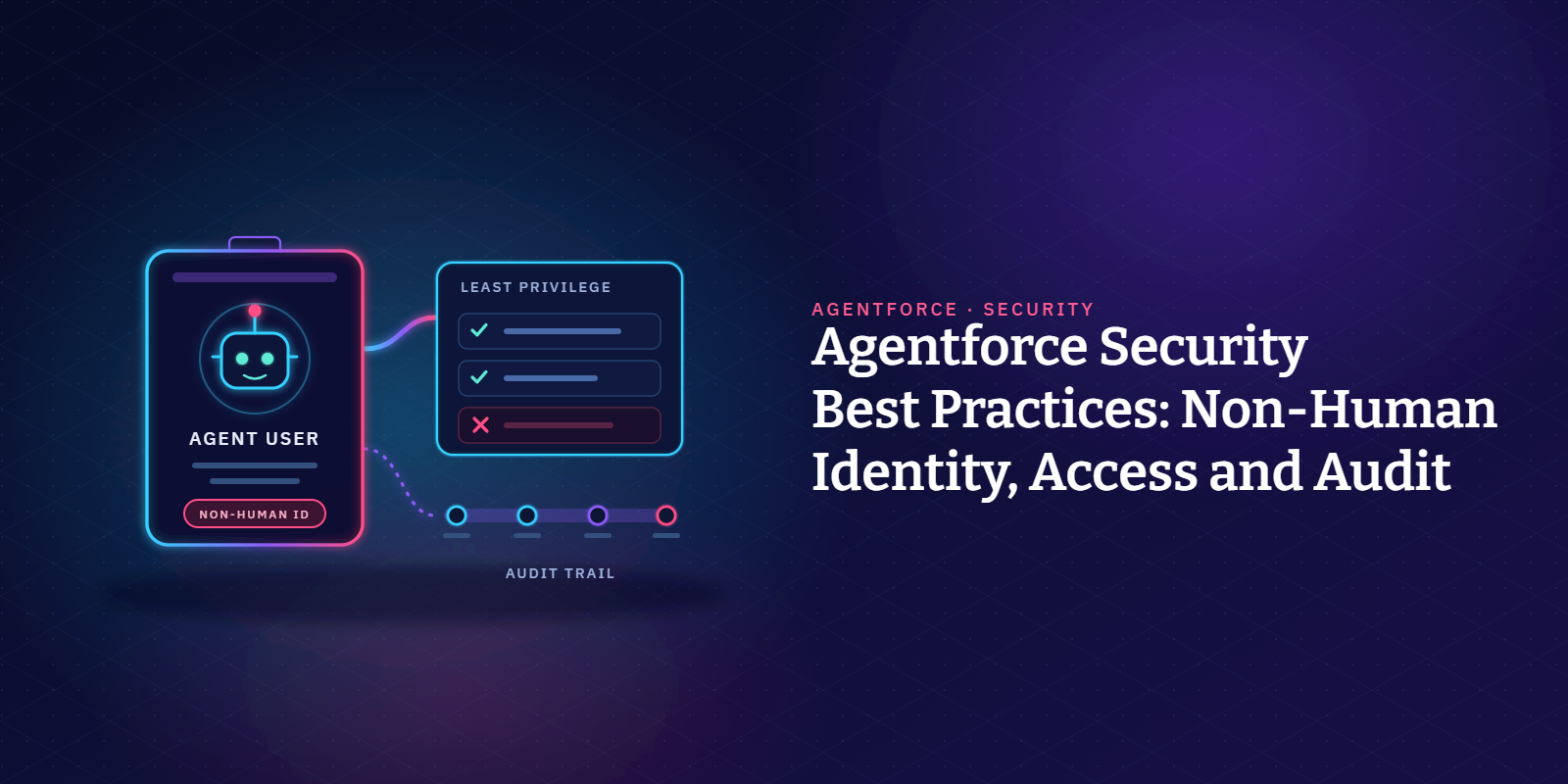
Salesforce Agentforce security starts with treating every AI agent as a non-human identity.
Give each agent its own user with least-privilege access, and lock down the actions it can call. Treat everything it reads as untrusted, and log its activity so you can monitor agent behavior.
Then put agent changes through the same change control as the rest of your Salesforce org. That's the core of Agentforce security for any agent, whether it serves customers or employees.
Below are ten practices, grouped loosely around identity, access and audit, with the Salesforce setting behind each one.
Why do AI agents need their own security model?
A support rep logs off at the end of a shift. An Agentforce agent doesn't.
It keeps answering customers overnight, picks which flow or Apex action to run, and reads CRM data and can update records as it goes.
In identity terms, that's a non-human identity on the Salesforce platform, like an integration user, an API token or a connected app.
Salesforce secures the platform, but the agent's permissions, data access and actions are yours to configure.
Salesforce's shared responsibility model for Agentforce puts least privilege, action limits and activity audits on the customer side.
Our post on agent-aware governance covers governance beyond Salesforce security settings.
What are the main Agentforce security risks?
When securing Agentforce, we sort agent security risks into four buckets. Naming the bucket helps when an auditor asks why a control exists.
- Too much access: An agent user with broad permissions can read or change far more than its job needs. Every customer chat runs with that access, which widens the blast radius of any mistake.
- Manipulated instructions: Text from a web form, email or document can carry hidden instructions that the agent follows as if they came from you.
- Exposed credentials: OAuth tokens and integration users connected to agents can be stolen and used to make API calls from outside Salesforce.
- Invisible activity: Without logs and session traces, nobody can say what an agent did last Tuesday or who approved its last change.
10 Agentforce security best practices
For a new agent, go through these in order. For agents already live, start with 2, 4 and 8: access, actions and logging.
1. Give every agent its own identity
In Salesforce Agentforce, service agents (the customer-facing kind) run as a dedicated agent user with the Einstein Agent User profile. The user created by the Salesforce CLI has no password, so nobody can log in as it.
Don't share one agent user across several Agentforce agents. With one user per agent, each agent gets only the access its own job needs, and the logs show which agent touched a record.
Name each account after its agent so nobody has to guess during a log review.
2. Grant the agent user least privilege
Salesforce creates the agent user with minimal access and tells you to widen it on the principle of least privilege. Add only the objects, fields and records the agent's actions need, through permission sets rather than profile edits.
The same page recommends private sharing defaults and a low role in the hierarchy for it. Check that no sharing rules quietly open more records to it.
Avoid admin-style permissions such as View All Data or Modify All Data. With those, one badly worded instruction can expose sensitive data the agent never needed.
These accounts also collect Salesforce permissions over time, and permission sprawl happens to agent users just as it does to people.
3. Know whose permissions each agent uses
Agentforce has two main agent types: Employee agents for your staff and Service agents for your customers. Not every agent runs as an agent user.
Salesforce's execution context guide explains that employee agents, which help staff with internal operations, run as the logged-in user, under that user's profile, field-level security and sharing.
Service agents run as the agent user, unless credential-based verification is on and they run as the signed-in site user. Some agents, such as the Lead Nurturing agent, run as their own dedicated user with system-level permissions.
Before deploying autonomous AI agents, map each one to its running user. Then you know whose access to review, and what customer data someone could reach by asking the right question.
4. Lock down the actions agents can call
An agent reads and changes data through its actions, so this is where most of the risk sits.
When an action runs a flow, the flow's own run context also applies. A flow set to system context without sharing can reach every object and field.
For Apex actions, Salesforce's developer team recommends with sharing and user mode for queries and DML. It also says to verify the customer before any private action runs.
Its secure actions guide adds object, field and record checks, and says not to accept record IDs or object names as user input.
Keep each agent's action list short, and limit it to approved actions.
For actions that change records or send data outside Salesforce, add a human approval step. Salesforce's shared responsibility model recommends human-in-the-loop review for custom actions.
OWASP lists excessive agency as a top risk for LLM apps, meaning an agent with more tools, permissions or freedom than its job calls for.
5. Control what data reaches the model
The Einstein Trust Layer gives you grounding that respects user permissions, prompt defense (including prompt injection detection) and an audit trail. Salesforce also flags harmful responses from the model and has zero data retention agreements with LLM providers such as OpenAI.
Useful, but none of it is access control. It doesn't limit what the agent can read.
The Einstein Trust Layer doesn't mask personal data in agent conversations. Salesforce says Trust Layer data masking is disabled for agents, so your data access controls are what keep sensitive data out.
If agents use Data 360 data, its governance policies support attribute-based access control. You can restrict data tagged as PII or sensitive.
Check the grounding data as well, such as knowledge articles and Data 360 records. If the records are wrong, the answers will be too, as our post on the wrong data explains.
6. Treat every input as untrusted
Prompt injection is number one on the OWASP Top 10 for LLM applications.
An attacker hides instructions in text the agent reads, and the agent follows them as if they came from you.
In 2025, Noma Security showed this in Salesforce Agentforce with ForcedLeak, a data exfiltration flaw. An instruction planted in a Web-to-Lead form could send CRM data to an expired domain that was still on an allowlist.
Salesforce began enforcing Trusted URLs for Agentforce on September 8, 2025, so links to unapproved URLs are redacted.
Keep your Trusted URLs list short and review it.
Treat web forms, emails and case comments as untrusted, and write clear guardrails into agent instructions.
Give each agent an Off Topic subagent (Salesforce's newer name for a topic) that politely redirects anything outside its job, as in Salesforce's Agent Script examples. An agent that declines unrelated requests gives attackers less to work with.
Our post on a zero trust security model for Salesforce goes further.
7. Secure the integrations and tokens around your agents
If you call agents through the Agent API, Salesforce requires an External Client App with the client credentials flow and a Run As user. Give that user API-only access and nothing more.
In August 2025, a threat group used stolen Drift OAuth tokens to export Salesforce data from many organizations. Google noted it wasn't a Salesforce platform vulnerability.
Its threat team advised least-privilege app scopes, IP restrictions and shorter sessions.
Salesforce now blocks uninstalled connected apps by default, and it recommends External Client Apps for new integrations.
Grant API Enabled only through permission sets, and review OAuth usage regularly. Each step helps reduce risk from external systems connected to your Salesforce orgs.
8. Monitor agent activity with audit logs and session tracing
Salesforce stores generative AI audit and feedback data in Data 360 (formerly Data Cloud).
Session Tracing records each turn of a conversation, plus reasoning steps, actions, errors and final responses.
Turning on Agentforce now switches both on, but confirm it in Setup. The logs can hold customer data, including personal and payment details, so restrict who can open that data space.
For platform activity, Shield Event Monitoring logs flow, Apex and API events.
Setup Audit Trail keeps 180 days of configuration history, so export it if your auditors need longer. Shield's Field Audit Trail keeps field history for much longer.
To trace one agent action back to its session and decide who reviews the logs, see our guide to the Agentforce audit trail.
9. Put agent changes through change control
Change one line of an agent's instructions and every conversation after it changes too.
Keep agent metadata in version control, review instruction changes made in Agentforce Builder, test in a sandbox and approve each release before activation.
Salesforce says to run Testing Center only in a sandbox because tests can change CRM data.
Our guide to deploying Agentforce agents walks through the full release path, including rollback.
10. Review access and behavior on a schedule
At least once a quarter, go through each agent's permission sets, its approved actions and the Trusted URLs list, and remove whatever nobody uses.
Read a sample of traced sessions to check agent behavior. Look for policy violations, off-script answers and unexpected actions.
Security teams should do some of this sampling themselves, so it isn't left to the people who built the agent. Track a few security KPIs per agent too, such as failed actions, redacted URLs and permission changes.
Give each agent a named business owner who signs off the review, so nobody assumes someone else is watching it.
Retire agents you no longer use. Deactivate the agent, freeze its user account and revoke its tokens, just as you would when a person leaves.
Gartner expects over 40% of agentic AI projects to be canceled by the end of 2027, with inadequate risk controls among the reasons.
Agentforce security checklist
The table below sums up the ten Agentforce security practices, with the Salesforce feature behind each one. Use it as a pre-launch checklist for your Agentforce deployments.
Autonomous AI agents belong in your Salesforce security program and your zero trust model alongside every other identity.
Keep the evidence from practices 8 to 10 together across your Salesforce orgs, and most of your Salesforce audit trail for agents is already built.
Where does Flosum fit?
Flosum Trust Center monitors your Salesforce environments for permission changes, user activity and configuration changes, with access analysis, access control monitoring, audit logging and automated remediation.
Flosum DevOps brings Salesforce Agentforce agent metadata under the same version control, approval gates and audit trail as your other Salesforce changes.
For the wider program, see Risk & Governance.
FAQs
Want to see who and what can reach your Salesforce data? Book a personalized demo to see how Flosum tracks access, changes and agent activity across your orgs.

Thank you for subscribing