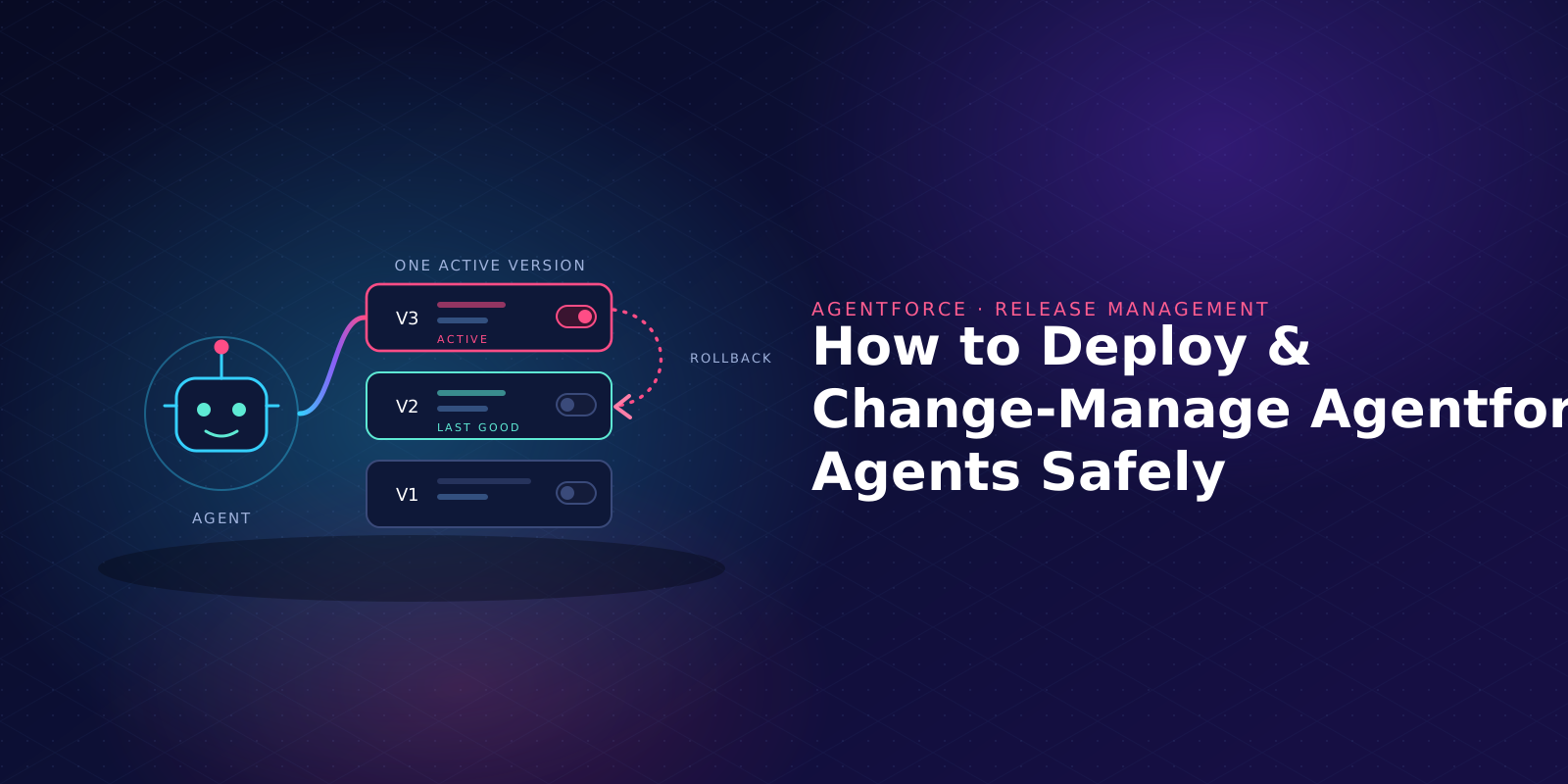
To deploy Agentforce agents safely, treat each agent like any other release. Keep its definition in version control, build and test it in a sandbox, get the change approved, deploy it, then activate the new version in production. Keep the last known good version ready, because rolling back an agent means activating that version again.
AI agents need extra care because they behave differently from a flow or an Apex class. Salesforce also leaves a few steps for you to finish after the deploy.
Why is releasing AI agents riskier than a normal deployment?
A broken validation rule usually shows itself with an error message. AI agents with a bad instruction can keep replying to customers with the wrong answers.
Agents run on the Salesforce platform and follow natural language instructions. They pick actions, run flows and Apex, and read your Salesforce data, so a one-line change to an instruction can change how the agent responds in every conversation after it goes live.
Gartner expects over 40% of agentic AI projects to be canceled by the end of 2027, with inadequate risk controls among the reasons.
Deploying AI agents also means moving several pieces of metadata plus a dedicated agent user, and they have to match in the target org. Our post on agent-aware governance covers how to govern autonomous agents more widely. This one stays with the release itself.
What does an Agentforce deployment contain?
Salesforce changed the Agentforce metadata types in API version 68. Its Agentforce DX deploy guide describes agents as AiAgentDefinition and AiAgentDefinitionVersion, and the agent actions they call come along when you retrieve them. Here are the key components of a Salesforce Agentforce release.
Watch the API version during Salesforce release windows. Both the source org and the destination environment need to be on v68 to use the new metadata types, so if your sandbox is on Winter '27 and production is still on Summer '26, Salesforce says to keep using the previous types until production upgrades. Older agents use GenAiPlannerBundle, which replaced GenAiPlanner from Metadata API version 64.
A safe release path for Salesforce Agentforce agents
Salesforce's architects describe a five-phase agent development lifecycle: design, development, testing, deployment, and monitoring and tuning. These seven steps turn that lifecycle into a repeatable Agentforce deployment process.
1. Put the agent in version control
The same guide recommends keeping the agent definition in Git. Store it next to the flows, Apex classes and other metadata it depends on, in Git or your DevOps platform's version control.
The .agent file is human-readable, with instructions in natural language, so Salesforce's Agentforce metadata lifecycle post suggests reviewing it in pull requests. For example, if an instruction changes from "never offer refunds over $500" to "use your judgment on refunds", a reviewer can catch it before customers see it.
2. Build in a sandbox, then commit a version
Salesforce's architects advise teams that build AI agents to work in a sandbox or scratch org, not in production. Salesforce made sandbox support for Salesforce Agentforce and Data 360 (formerly Data Cloud) generally available in November 2024, and Data 360 now supports all sandbox types. Our guide to Salesforce sandbox types helps you pick one.
When the agent is ready, commit the version. A committed version is locked, and Salesforce's documentation says you can't edit a committed agent; you create a new version instead. Each change then gets its own version number, which makes versions easy to compare and promote.
3. Test before anything moves
Run your test suites in a sandbox environment to validate the agent, using Agentforce Testing Center or the sf agent test run CLI command. Salesforce says to use Testing Center only in a sandbox because tests can change CRM data. Running tests also uses requests and credits, so budget for them.
Start with the cases that matter. Check that the agent picks the right subagent (Salesforce's newer name for a topic) and calls the right agent actions, and that it gives accurate responses that stay inside policy.
Salesforce's architects recommend CI/CD pipelines with tests as quality gates at each stage, so keep those definitions in source control. The same thinking sits behind regression test automation for the rest of your org.
4. Get the change approved
Put changes to AI agents through the same approval gate as Apex changes. Give the approver the instruction and action changes to read, as well as the component list.
Write down who can approve agent changes and who can switch them on. Keeping those roles apart gives you segregation of duties, a control SOX programs rely on, so one person can't change an agent and switch it on alone.
5. Deploy the agent metadata
Deploy the version, its related components and their dependencies from one org to the next in your pipeline, the same way your regular DevOps process moves other metadata. With the CLI, Salesforce's lifecycle post shows a sequence of sf project deploy start for the authoring bundle, then sf agent publish authoring-bundle, then sf agent activate. In the package manifest (package.xml), you can name one agent version or all of them.
Teams that run agents across several environments need the same version moving through each in order. Our post on DevOps across multiple orgs covers that setup.
6. Finish the post-deploy steps
Deploying Agentforce isn't the last step. A deploy puts the agent's metadata in the destination environment, and four manual steps remain before the agent will work there.
- Assign the agent user. Salesforce says you must assign the agent user in the new environment before using the agent, and a committed agent needs a new version to change it.
- Check the agent user's access. The CLI creates it with the Einstein Agent User profile and three agent permission sets. Give it access to only the objects and fields its actions need, and review each permission set for security before go-live.
- Keep source and target in step. Salesforce warns the two agents must match or future deployments will be blocked.
- Activate the version. Salesforce's architects note that an admin still has to activate the agent after deployment.
7. Release to a small group first, then watch it
The same guide suggests releasing to a small group first, using approaches like canary releases. Then monitor agent performance on real conversations before you widen access.
Turn on Session Tracing in Salesforce Setup; it logs agent sessions to Data 360 and is off by default in most orgs. Salesforce says it records inputs, responses, reasoning steps and large language model calls for each session, so you can review what the agent actually did.
Check the data sources the agent is grounded on too. An agent can behave well in testing and still pick up bad habits from the wrong data in production.
How do you roll back an Agentforce agent?
Say version 7 of your service agent goes live on Tuesday, and on Wednesday the support team sees it offering discounts it shouldn't. You switch back to version 6. No rebuild needed.
Only one version of an agent can be active at a time, so activating version 6 takes version 7 out of service. Salesforce's lifecycle guidance says to roll back to the last known good version and activate it. The Salesforce Developers blog says version activation happens with zero downtime.
You need to know which is the correct version to go back to. For every production activation, record the version number, test results and approver. Ship any changes to flows, Apex classes or prompt templates in the same release as the agent, so you can reverse them together.
Which change controls will auditors ask about?
If your org is subject to SOX or HIPAA, plan to hold AI agents to the same change-control standard as Apex and flow changes. The table below lists controls worth having in place.
Have your pipeline record this evidence at each step, so your Salesforce audit trail is ready when an auditor asks. Don't rely on piecing it together later from emails and chat threads.
What about Salesforce's built-in release tools?
Salesforce announced in 2024 that DevOps Center (now Lifecycle Center), the Salesforce CLI and change sets support Salesforce Agentforce and Data 360. If your team already uses Lifecycle Center, check that it handles the v68 agent types and post-deploy steps your agents need before you rely on it.
Salesforce notes that a completed change set deployment can't be rolled back, so change sets leave the version history and approvals above to you. For a fuller view of where release work fits, see our guide to release management.
Where does Flosum fit?
Flosum DevOps brings Agentforce agent metadata and AI-generated changes under the same version control, approval gates, testing and audit trail as all your other Salesforce changes. Admin changes, developer code and AI-generated changes go through one platform, and a failed deployment can be reversed with one-click rollback.
For audit trails, activity tracking and compliance reporting, see the Flosum Trust Center and Risk & Governance pages. Our agentic DevOps approach covers how Flosum manages metadata and configurations for autonomous agents across environments, with audit trails built into the release workflow.
FAQs
Want to see what a governed release looks like for your agents? Book a personalized demo to see how Flosum versions, approves, deploys and rolls back changes to your agents alongside the rest of your org.

Thank you for subscribing