Our blog
Blog

Blog
Using Zero Trust Passwordless Authentication to Secure Salesforce
Eliminate credential-based attacks in Salesforce with Zero Trust passwordless authentication. Cryptographic verification, continuous authorization, NIST compliance.


Blog
How to Choose the Right Continuous Integration Tool for Salesforce Development
Evaluate CI tools for Salesforce using 8 technical criteria: Metadata API integration, DevOps Center compatibility, testing frameworks, and rollback capabilities.

 report, **68% of surveyed organizations** struggle with merge conflicts when making organizational changes. Git-dependent workflows amplify this problem rather than resolve it.
### External Metadata Storage Introduces Compliance Risk
Platforms that store metadata in external Git repositories create a compliance surface area that demands additional oversight. Organizations governed by [HIPAA](https://www.flosum.com/blog/hipaa-compliance-on-salesforce-a-comprehensive-guide-for-enterprises), [GDPR](https://www.flosum.com/blog/gdpr-implementation-in-salesforce), or [SOX](https://www.flosum.com/blog/salesforce-sox-compliance-how-to-meet-regulatory-standards) must document exactly where sensitive configuration data resides throughout the deployment lifecycle. External storage forces compliance teams to validate a separate governance boundary independently.
### Pricing Models Expand Beyond Initial Estimates
Incumbent platforms frequently layer charges for support tiers, additional environments, and feature modules. Over time, total cost of ownership diverges significantly from original budget projections. The *State of Salesforce DevOps 2025* report found that **68% of respondents see ROI of less than $10,000 per month** from their DevOps investment. Another **9% could not identify ROI at all**. Rising licensing costs make achieving meaningful returns progressively harder.
These friction points form the backdrop against which every alternative should be measured.
## Architecture and Metadata Management
Architecture is the single most consequential factor in a DevOps platform evaluation. It determines the ceiling for security, compliance, team adoption, and long-term scalability.
### Salesforce-Native Versus Git-Dependent Architecture
A Salesforce-native DevOps platform runs entirely within the Salesforce ecosystem. Metadata never leaves the platform. Version control operates on Salesforce's own object model. The user interface mirrors the Lightning experience that teams already use.
Git-dependent platforms require teams to maintain parallel systems. Changes must be committed to external repositories, synchronized back to Salesforce environments, and reconciled when conflicts arise. Each integration point introduces latency, potential failure modes, and security considerations.
### Where Metadata Resides Throughout the Deployment Lifecycle
For organizations subject to [data residency](https://www.flosum.com/blog/data-sovereignty-vs-data-residency) requirements, the physical location of [metadata storage](https://www.flosum.com/blog/a-guide-to-backing-up-salesforce-metadata-apis-data) is a critical evaluation criterion. Platforms that keep metadata within Salesforce inherit the platform's encryption, access controls, and audit mechanisms.
If metadata is stored externally, it must reside in a secure environment with a metadata-aware version control system purpose-built for Salesforce. This ensures the ability to securely store, track, version, validate, and deploy metadata while maintaining full auditability and strict access controls. External storage without these safeguards is insufficient.
### Enabling Adoption Across Skill Levels
Salesforce teams are rarely composed entirely of developers. Administrators, business analysts, and citizen developers contribute significant configuration changes. Version control purpose-built for Salesforce deployments allows all changes to flow through one simple, automated process regardless of the contributor's technical background.
### AI-Driven Capabilities as an Emerging Differentiator
Artificial Intelligence is reshaping DevOps workflows. A platform's architecture determines how effectively AI integrates into deployment processes. Evaluate whether the platform supports:
- AI-driven conflict detection and deployment risk scoring
- [Automated code review](https://www.flosum.com/blog/the-automated-advantage-how-to-enhance-your-salesforce-devops-environment) with security flagging
- Vulnerability detection with recommended mitigations
- Automated test generation for Apex code
Platforms built on Salesforce's own AI stack deliver these capabilities within the same secure environment. Flosum users, for example, access four AI agents built directly on Agentforce: a Branch Deployment Agent, Code Review Agent, Security Analyst Agent, and Test Creation Agent. Because these agents operate within Salesforce, they inherit the platform's security controls without introducing external AI processing dependencies.
## Deployment Reliability and Release Management
Deployment speed matters, but deployment reliability matters more. A fast pipeline that produces frequent failures creates more operational disruption than a measured pipeline that succeeds consistently.
### Automated Pipeline Capabilities
Automated deployment pipelines should handle the end-to-end workflow from build through test to deployment. Policy-based controls enforce governance standards automatically. This reduces reliance on manual review for routine deployments while maintaining oversight for high-risk changes.
Evaluate whether the platform supports:
- Automated testing integration and static code analysis
- Pre-deployment validation to catch errors before production
- Configurable approval gates at each pipeline stage
The *State of Salesforce DevOps 2025* report identified faster deployments (52%), increased efficiency (56%), and cost reduction (56%) as the top unmet needs among Salesforce DevOps teams. All three depend on reliable pipeline automation.
### Measurable Deployment Gains
The operational impact of effective automation is quantifiable. The City and County of Denver achieved a [70% increase in deployment speed](https://www.flosum.com/customer-stories/city-and-county-of-denver) after adopting Flosum, reducing eight-hour deployments to under 15 minutes. DMI Finance [increased its release frequency by 133%](https://www.flosum.com/blog/133-faster-releases-with-increased-security-the-dmi-finance-success-story-with-flosum), moving from 15 to 35 deployments per month with enhanced security through granular access controls.
### Rollback Speed and Granularity
When a deployment fails, the cost is measured in downtime, lost productivity, and potential data integrity issues. Full-org rollback is a blunt instrument that disrupts unrelated configurations. Component-level rollback allows teams to reverse specific changes surgically.
Look for platforms that maintain deployment snapshots and offer one-click rollback with clear visibility into what changed. The ability to preview rollback impact before execution reduces the risk of compounding errors during recovery.
### Multi-Org Environment Management
Enterprise Salesforce environments rarely consist of a single org. Development, QA, staging, UAT, and production environments must stay synchronized. Environment drift, the gradual divergence of configurations across orgs, is one of the most common sources of deployment failures.
Evaluate how each platform compares environments, detects drift, and propagates changes consistently across the release path.
## Compliance, Security, and Audit Readiness
For regulated industries, the DevOps platform functions as a compliance asset or a compliance liability. Security and compliance are primary evaluation requirements, not secondary considerations.
### Zero-Trust Architecture and Access Controls
[Zero-trust security models](https://www.flosum.com/blog/core-principle-zero-trust-salesforce-security) require explicit verification for every action. In a DevOps context, every deployment, metadata change, and approval must pass through granular, role-based access controls.
Evaluate whether the platform enforces least-privilege access by default. Confirm that access controls integrate with existing identity management infrastructure. Platforms with separate authentication systems for DevOps functions create gaps that auditors will flag.
### Automated Audit Trails and Immutable Records
Manual audit preparation consumes weeks of effort before every compliance review. Automated audit trails that capture every change, deployment, approval, and rollback with timestamps and user identification reduce this burden significantly.
The audit trail must be immutable. No user, including administrators, should be able to alter or delete historical records. This immutability is a fundamental requirement for HIPAA, SOX, and [FedRAMP](https://www.flosum.com/blog/salesforce-fedramp-compliance) compliance.
Cushman & Wakefield reduced its release-to-production [audit time by 50%](https://www.flosum.com/blog/cushman-wakefield-sees-50-faster-salesforce-releases-and-improved-compliance-with-flosum) and achieved SOX compliance after adopting Flosum's immutable audit trails and policy-based deployment controls.
### Regulatory Alignment Across Multiple Frameworks
Most enterprise organizations operate under several overlapping regulatory obligations. The DevOps platform should support compliance with multiple frameworks simultaneously.
Verify compliance certifications directly. Salesforce AppExchange certification, SOC 2 attestation, and FedRAMP authorization are concrete indicators. Marketing claims about compliance alignment should be backed by verifiable documentation.
## Migration Planning and Onboarding
Evaluating alternatives is only half the decision. Executing a migration that does not disrupt active development cycles is equally critical.
### Assessing Migration Risk and Timelines
[Switching DevOps platforms](https://www.flosum.com/blog/salesforce-devops-tool-migration-guide) involves migrating several critical components:
- Deployment pipelines and automation configurations
- Version history and change documentation
- Team workflows, approval gates, and governance policies
Request a detailed migration plan from each vendor. Include estimated timelines, required team involvement, and any periods of reduced capability. Ask for references from organizations of similar size that completed the migration recently.
Vendors with mature migration programs execute transitions with zero downtime and minimal disruption. Flosum provides dedicated migration support that enables enterprises [switching from incumbent platforms](https://www.flosum.com/flosum-versus/flosum-vs-copado?locale=en-US) to transition with strong technical assistance throughout the process.
### Key Questions for Vendor Evaluation
These questions surface information that product demonstrations typically do not address:
- How does the platform handle Salesforce-specific metadata types, including declarative changes and complex configuration settings?
- Where is metadata stored during the deployment lifecycle, and what encryption and access controls protect it?
- What does the migration process look like for an organization of our size?
- What level of support is included in the base license?
- Can the platform demonstrate compliance certifications for our regulatory frameworks?
- What is the total cost at our current team size, and how does pricing change as we scale?
## Cost and Scalability for Enterprise Teams
The true cost of a DevOps platform extends well beyond the subscription fee. A comprehensive TCO analysis accounts for every cost category over a three-to-five-year horizon.
### Support, Training, and Hidden Costs
Some vendors include dedicated customer success management in base pricing. Others charge premium fees for priority support, training sessions, and onboarding assistance. Clarify what level of support is included at no additional cost before signing.
### Predictable Pricing at Scale
As teams grow and new orgs are added, the platform must scale without triggering incremental licensing fees. Pricing models that charge per org, per environment, or per feature module create unpredictable cost trajectories.
All-inclusive pricing models that bundle support, environments, and core features into a single per-user fee provide the predictability that finance teams require. Flosum's pricing model exemplifies this approach: transparent, all-inclusive licensing with no additional fees for extra orgs, customer support, or feature modules. This transparency simplifies ROI calculations and makes it easier to demonstrate business value to stakeholders.
## Choosing a Platform That Delivers Lasting Operational Improvement
The decision to switch Salesforce DevOps platforms is not about finding the longest feature list. It is about eliminating the specific friction points, compliance gaps, and cost surprises that hold the team back. Architecture alignment, deployment reliability, security posture, and pricing transparency are the criteria that determine whether a switch delivers lasting improvement or trades one set of challenges for another.
Flosum addresses these evaluation criteria with a DevOps platform purpose-built for Salesforce, offering:
- Automated deployment pipelines for Salesforce metadata
- Version control and component-level rollback capabilities
- Immutable audit trails for compliance reporting
- Policy-based deployment controls with AI-driven agents
- CI/CD workflows integrated within Salesforce environments
- Backup and Archive for data protection alongside release management
[**Request a demo with Flosum**](https://explore.flosum.com/request-a-demo.html) to evaluate how a Salesforce-aligned DevOps platform reduces complexity, strengthens compliance, and accelerates deployments for your team.](https://cdn.prod.website-files.com/6723ebcb19cb0dda58aff919/699ca28c0d77e48c5818741d_1770139302190-al3lxc.png)
Blog
What to Consider When Evaluating Copado Alternatives
Discover essential criteria for evaluating Copado alternatives using research-backed frameworks. Learn what Salesforce DevOps teams need beyond feature checklists.
Blog
Salesforce Release Management in the Age of Automation
Learn how automated release management reduces Salesforce deployment failures while maintaining compliance through dependency tracking and governance controls.

, Salesforce ensures platform availability, but your organization remains responsible for data backup strategies, application-level disaster recovery planning, and meeting recovery time objectives.
Without full recovery capabilities, organizations face extended downtime and business disruption even when they have backups sitting in storage. This article provides system administrators, architects, and compliance managers with a framework for understanding why backup alone creates a false sense of security—and what comprehensive recovery actually demands.
## Why Backup Alone Falls Short for Salesforce
**Data backup and full environment recovery are fundamentally different operations.** Backup creates point-in-time copies of data records through API extraction and storage. Recovery ensures complete restoration of business operations—including data, metadata, configurations, and automation—within defined time objectives.
This distinction matters because Salesforce separates data storage from metadata governance at the platform level. A standard backup might capture your Account, Contact, and Opportunity records, but it typically misses the intricate web of configurations that make those records functional within your business processes.
Here's what backups commonly fail to capture or restore correctly:
- **Custom objects and fields** with their validation rules and field-level security
- **Workflow rules, Process Builder flows, and Flow automations** that drive business logic
- **Apex triggers and classes** that enforce custom behavior
- **Page layouts and Lightning record pages** that define the user experience
- **Permission sets and profiles** that govern data access
- **Record types, picklist values, and dependent picklists** that structure data entry
Salesforce's native [Weekly Export Service](https://help.salesforce.com/s/articleView?id=sf.admin_exportdata.htm&type=5) illustrates these limitations clearly. It was designed primarily for archival purposes, not disaster recovery. **Frequency constraints** limit exports to every seven days for Enterprise, Performance, and Unlimited editions, creating potential data loss windows of up to a full week. **File size limitations** restrict individual CSV files to 512 MB, and larger exports generate multiple .zip files requiring manual reassembly.
Most critically, the export service does not capture the metadata layer. Organizations relying solely on native tools often discover this gap only when attempting actual restoration—by which point critical business operations may already be disrupted. Organizations discovering these gaps during actual incidents routinely face restoration timelines measured in days or weeks rather than hours.
## The Metadata Coverage Gap
**Without its metadata layer, your Salesforce data is non-functional.** Metadata defines the structure, behavior, and presentation rules for every piece of data in your org. Think of it as the architectural blueprint: data is the furniture, but metadata is the building itself.
The Salesforce platform includes over [600 distinct metadata types](https://developer.salesforce.com/docs/atlas.en-us.api_meta.meta/api_meta/meta_types_list.htm) that exist separately from data records. Organizations must explicitly select [metadata types for backup](https://help.salesforce.com/s/articleView?id=xcloud.admin_backup_metdata.htm&type=5), and metadata restoration requires entirely separate procedures from data restoration. Critical metadata types include:
- **Custom fields and objects** — define data structure and relationships
- **Apex classes and triggers** — execute custom business logic
- **Visualforce pages and Lightning Web Components** — render user interfaces
- **Flows and Process Builder processes** — automate business workflows
- **Validation rules** — enforce data quality at the field and record level
- **Permission sets, profiles, and sharing rules** — control security and access
- **Custom labels, custom settings, and custom metadata types** — store configuration data used across the org
Several of these fall into [officially unsupported types](https://developer.salesforce.com/docs/atlas.en-us.api_meta.meta/api_meta/meta_unsupported_types.htm) for standard Metadata API retrieval, creating additional blind spots.
**Restoring data without its governing metadata creates cascading failures.** Custom fields cannot enforce validation rules. Workflow automations cannot trigger. Page layouts cannot render properly. Developers must retrieve and redeploy metadata using the Metadata API or Salesforce CLI—a process that demands expertise and careful sequencing.
Object relationships compound this complexity. In master–detail and foreign-key relationships, deleting a master or parent record can [cascade delete dependent records](https://help.salesforce.com/s/articleView?id=platform.relationships_considerations.htm&type=5). [Successful restoration](https://help.salesforce.com/s/articleView?id=ind.order_mgmt_parent-child_relationships_in_decomposition.htm&language=en_US&type=5) requires strict dependency ordering: parent records must exist before child records, and lookup relationships require target records first. Organizations attempting restoration without understanding these dependencies experience validation errors and referential integrity failures that can corrupt the entire recovery effort.
## What Full Salesforce Recovery Actually Looks Like
**True disaster recovery for Salesforce means restoring a complete, functioning environment—not just populating empty fields with raw data.** It encompasses data records, metadata configurations, custom code, object relationships, automation rules, and integration settings, all deployed in the correct sequence with dependency awareness.
### Defining Recovery Objectives
Two metrics govern every recovery strategy:
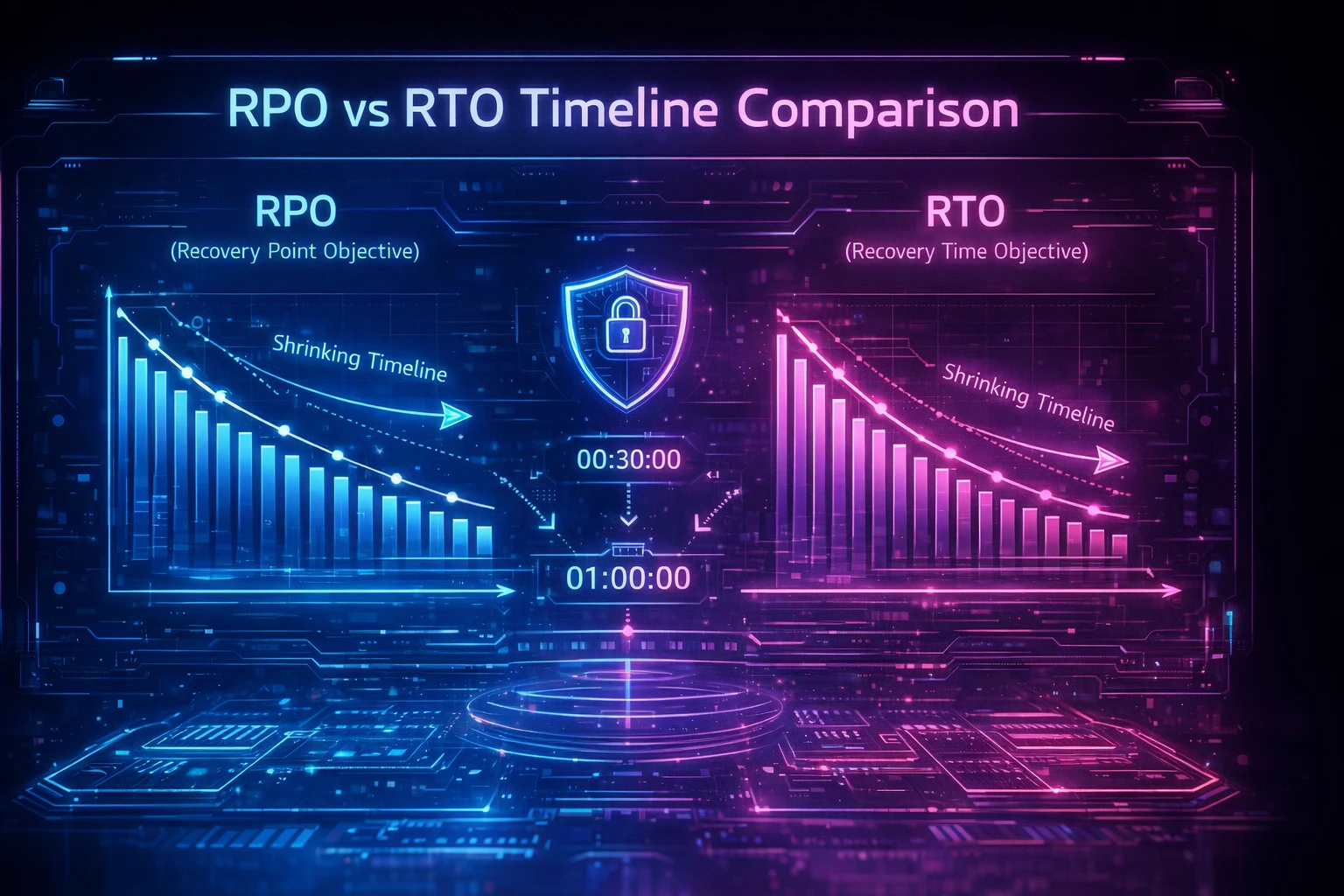
- **Recovery Time Objective (RTO)** defines the maximum acceptable duration of downtime. For a revenue-critical Salesforce org, this might be measured in hours. The Weekly Export's manual restoration process often delivers RTOs measured in days.
- **Recovery Point Objective (RPO)** defines the maximum acceptable data loss window. The native export's seven-day cycle means up to a week of transactions could vanish. Organizations with [daily or near-real-time backup scheduling](https://www.flosum.com/blog/salesforce-automated-backups) can reduce RPO to hours or minutes.
Understanding [RTO vs. RPO](https://www.flosum.com/blog/rto-vs-rpo-disaster-recovery) is essential for selecting appropriate recovery tools and designing restoration procedures.
### The Recovery Process
A genuine recovery operation follows a structured sequence:
1. **Environment comparison** — identify exactly what changed or was lost by comparing current state against backup snapshots
2. **Metadata restoration** — deploy the structural foundation first: custom objects, fields, page layouts, profiles, and permission sets
3. **Automation and code deployment** — restore Apex classes, triggers, flows, validation rules, and workflow rules
4. **Data restoration with dependency ordering** — load parent records before children, map relationship IDs, and validate referential integrity
5. **Integration verification** — confirm connected systems, API configurations, and external data flows are functioning
6. **Validation testing** — verify end-to-end business processes work correctly in the restored environment
Each step depends on the previous one. Skipping or misordering any phase introduces errors that compound throughout the restoration.
## How Flosum Enables Complete Salesforce Recovery
**Flosum addresses the backup-to-recovery gap by treating metadata as a first-class citizen alongside data.** Rather than limiting protection to data exports, Flosum's [backup and archive capabilities](https://www.flosum.com/products/backup-and-archive) encompass the full spectrum of Salesforce metadata types, custom code, and configuration data.
Several capabilities make this possible:
- **[Version control](https://www.flosum.com/blog/salesforce-version-control)** tracks every change to metadata and code over time, creating a complete history that enables point-in-time recovery to any previous state. This is particularly valuable when configuration errors—not data loss—trigger the need for restoration.
- **Automated metadata restoration** eliminates the need for manual developer intervention during recovery. Custom objects, fields, page layouts, workflow rules, validation rules, permission sets, and Apex code can be restored as a coordinated deployment rather than piecemeal manual efforts.
- **[Granular recovery options](https://www.flosum.com/products/backup-and-archive)** allow administrators to restore specific records, fields, or objects without performing a full system recovery—minimizing operational impact while maintaining referential integrity.
- **Relationship preservation automation** handles dependency chains between master-detail relationships, lookup relationships, and formula fields, mapping relationship IDs during restoration and validating referential integrity automatically.
- **Comprehensive [audit trails](https://www.flosum.com/blog/salesforce-field-audit-trail)** satisfy regulatory requirements through [immutable backup records](https://help.salesforce.com/s/articleView?id=xcloud.shield_learning_map_audit_compliance.htm&language=en_US&type=5) with time-stamped events, user attribution, and automated retention policy enforcement.
This approach aligns with regulatory mandates across multiple frameworks. [HIPAA requirements](https://www.flosum.com/blog/salesforce-hipaa-backup-requirements) under 45 CFR § 164.308(a)(7) explicitly separate the Data Backup Plan from the Disaster Recovery Plan. [GDPR Article 32(1)(c)](https://www.flosum.com/blog/gdpr-compliance) requires the ability to restore availability and access to personal data in a timely manner. [SOX Section 802](https://www.flosum.com/solutions/sox-compliance-use-case) and SEC Rule 17a-4 create implicit recovery obligations for audit records and broker-dealer data. Organizations that conflate backup with recovery often discover this gap during compliance audits—or worse, during actual incidents.
## Building a Salesforce Disaster Recovery Plan
**A recovery plan that hasn't been tested is a recovery plan that doesn't work.** Organizations that recover quickly from Salesforce disasters share one thing in common: they validated their recovery capabilities before they needed them.
Follow these steps to build a credible disaster recovery plan:
### Step 1: Inventory Critical Metadata and Data
Document every metadata type your org depends on. Identify custom objects, Apex code, automations, integration configurations, and permission structures. Map object relationships and dependency chains. This inventory becomes the foundation for your recovery sequence.
### Step 2: Establish Backup Cadence Aligned to RPO
Define your RPO based on business impact analysis. If losing seven days of data is unacceptable, the native weekly export cannot be your primary backup mechanism. Implement [automated backup scheduling](https://www.flosum.com/blog/salesforce-automated-backups) that matches your RPO requirements—daily, hourly, or near-real-time.
### Step 3: Define RTO Targets and Recovery Procedures
Document exactly how long each recovery scenario should take: single-record restoration, bulk data recovery, full metadata rebuild, complete environment restoration. Assign specific roles and responsibilities for each scenario.
### Step 4: Test Recovery in Sandbox Environments
**Recovery testing is not optional—it's a regulatory obligation under frameworks like GDPR Article 32(1)(d).** Use sandbox environments to simulate disaster scenarios. Time the restoration process. Verify that restored data and metadata function correctly together. Document results for compliance evidence.
### Step 5: Review and Iterate
Salesforce environments change constantly. New custom objects, updated automations, and additional integrations shift the recovery landscape. Review and update your disaster recovery plan quarterly, and retest after any major org change.
## Closing the Gap Before It Becomes a Crisis
As Salesforce environments grow more complex—with custom code, multi-cloud integrations, and increasingly sophisticated automation—the gap between backup and recovery will only widen. Organizations that invest solely in data backup are building their continuity strategy on an incomplete foundation.
The question isn't whether your organization will face a data incident. It's whether you'll discover your recovery gaps before or during that crisis. Your next compliance audit may ask for evidence of recovery testing. Your next incident will demand it.
**Backup captures your data. Recovery restores your business.** Investing in full recovery capabilities—metadata protection, dependency-aware restoration, and validated recovery procedures—is what separates organizations that bounce back in hours from those that struggle for weeks.
[**Learn how Flosum can protect your complete Salesforce environment**](https://explore.flosum.com/request-a-demo.html)—from metadata and custom code to data relationships and compliance audit trails—so your recovery plan works when you actually need it.](https://cdn.prod.website-files.com/6723ebcb19cb0dda58aff919/699ca152f3d591b1256e9950_1770139939431-nqqtip.png)
Blog
Backup Is Not Enough Without Full Salesforce Recovery
Salesforce backups cannot restore operations without metadata, relationships, and recovery capabilities. Understand the gap before data loss occurs.
Blog
Building Security Into Every Step of the Salesforce Development Lifecycle
Automate security validation across Salesforce deployment pipelines. Learn how DevSecOps platforms enforce Zero Trust, meet compliance, and prevent breaches.

Blog
From DevOps to DevSecOps: Closing the Security Gap in Salesforce Pipelines
Learn how to implement DevSecOps controls in Salesforce deployment pipelines. Prevent SOQL injection and configuration breaches while maintaining deployment speed.
.webp)
Blog
Salesforce Security Compliance Tools for Enterprise Data Protection
Discover which Salesforce security compliance tools close deployment gaps and deliver continuous validation across DevOps pipelines without sacrificing velocity.
Blog
Ensuring Salesforce Data Protection with Comprehensive Security Controls
Bridge Salesforce platform security gaps with deployment-level controls for HIPAA, GDPR, and SOX compliance while reducing breach costs.

Blog
Zero Trust for Salesforce DevOps: Closing the Compliance Gap in Deployment Pipelines
Learn how Zero Trust closes Salesforce deployment security gaps, and implement verification and policy controls for regulatory compliance.

Blog
Monitoring Salesforce Security in Real-Time for Proactive Threat Detection
Implement continuous security monitoring for Salesforce to detect threats before escalation. Learn regulatory requirements and close detection gaps.

Blog
Reactive vs Preventive Security in Salesforce: Overcoming Deployment Challenges
Learn how to transition from costly reactive security to preventive validation in Salesforce deployments with this framework.


Blog
Top 7 Zero Trust Security Platforms for Salesforce Organizations
Compare leading Zero Trust security platforms for Salesforce. Learn which solutions provide continuous authentication, deployment security, and compliance.

Blog
Zero Trust for Microservices in Salesforce: How to Secure Distributed Architectures
Learn how to implement Zero Trust security for distributed Salesforce architectures. Verify identity at every service boundary and meet compliance requirements.

Blog
How AI Is Powering the Next Era of Zero Trust for Salesforce
Implement AI-enhanced zero trust security for Salesforce deployments. Get behavioral anomaly detection, predictive risk scoring, and automated policy enforcement for DevOps pipelines.

Blog
Azure DevOps Alternatives That Remove Salesforce Complexity
Discover why Azure DevOps creates deployment overhead for Salesforce teams. Compare purpose-built platforms that eliminate metadata complexity.

Blog
Why Git Alone Does Not Solve Salesforce Source Control
Git's file-based architecture cannot handle Salesforce metadata dependencies, API limits, or compliance requirements. Learn what enterprise teams need.

Blog
EU Data Residency: Understanding Data Storage and Compliance Obligations
Navigate EU data residency requirements for Salesforce. Learn GDPR transfer frameworks, compliance validation, and automated deployment controls.

Blog
Salesforce Metadata Backup: Strategies for Protecting Configuration Data
Learn why native Salesforce tools fail to protect metadata. Get strategies for comprehensive configuration backup, automated recovery, and compliance.

Blog
Top Strategies to Improve Security Posture and Protect Your Organization
Discover 7 evidence-based security strategies for Salesforce DevSecOps. Learn access controls, automated testing, and policy enforcement to protect deployments.

Blog
How to Choose the Right Salesforce Data Backup Option for Your Business
Compare Salesforce backup solutions vs native tools. Evaluate RPO/RTO requirements, compliance mandates, and recovery precision for enterprise data protection.

Blog
A Guide to Turning Data into Actionable Insights for Business Growth
Transform Salesforce deployment data into strategic insights. Five proven frameworks help CDOs convert operational data into competitive advantage.
.webp)
Blog
What is Data Ownership & How It Relates to Businesses
Learn how to implement data ownership in Salesforce environments through automated governance, CI/CD validation and audit trails that satisfy regulatory requirements.

Blog
Breaking Down the Salesforce Data Retention Policy
Salesforce native retention creates compliance gaps. Learn technical frameworks to meet SOX, HIPAA, GDPR requirements with extended retention architecture.

Blog
How to Use Data Sensitivity Classification in Your Business
Learn how to implement effective data sensitivity classification programs. Get framework selection, stakeholder roles, and automated enforcement strategies.

Blog
Securing Salesforce with Microsegmentation in a Zero Trust Environment
Learn how to implement microsegmentation in Salesforce deployment pipelines. Secure DevOps environments with Zero Trust verification controls.

Blog
The Salesforce DevSecOps Blueprint: Building Secure Pipelines from the Start
Build security-first Salesforce deployment pipelines. DevSecOps framework with OAuth 2.0, Code Analyzer, compliance automation for enterprise environments.

Blog
The Complete Zero Trust Checklist for Salesforce Teams
Complete Zero Trust implementation checklist for Salesforce deployment pipelines. Covers NIST SP 800-207, HIPAA, GDPR, and SOX compliance requirements with technical controls.

Blog
How to Craft a Zero Trust Strategy for Enterprise Salesforce Environments
Learn how to implement Zero Trust principles in Salesforce deployment pipelines to meet compliance requirements, technical specifications and security controls.

Blog
How to Strengthen Your Salesforce Security Posture
Learn security controls for Salesforce deployment pipelines to eliminate vulnerabilities, implement Zero Trust and automate compliance validation.

Blog
Salesforce DevSecOps: How to Maintain Compliance While Innovating
Learn how regulated enterprises achieve audit readiness without slowing Salesforce deployments. Extended audit trails, automated compliance and policy controls.

Blog
How to Conduct a Comprehensive Security Posture Assessment for Salesforce
Complete 7-phase methodology for conducting Salesforce security assessments. Align with frameworks, address compliance gaps and implement continuous monitoring.

Blog
7 Ways to Prevent Insider Threats in Salesforce
Learn 7 technical controls to prevent insider threats in Salesforce to reduce detection time and respond with automated governance.

Blog
Reactive vs Preventative Security: A Wake-Up Call for Salesforce Teams
Learn how preventative security controls prevent rapid compromise in Salesforce deployments. Framework for closing deployment pipeline security gaps.

Blog
The 5 Pillars of Zero Trust in Salesforce
Learn how to implement Zero Trust architecture across 5 security domains in Salesforce. Get technical controls, compliance mappings & deployment strategies.

Blog
Implementing Zero Trust Endpoint Security in Salesforce
Implement Zero Trust authentication, audit trails, and policy controls for Salesforce deployment pipelines. Secure CI/CD endpoints against credential theft.

Blog
How to Overcome Zero Trust Challenges in Salesforce
Overcome Zero Trust security gaps in Salesforce deployments. Learn certificate-based auth, audit retention, and policy controls for regulatory compliance.

Blog
Zero Trust Components You Need to Implement in Salesforce Today
Implement 5 essential Zero Trust components to secure Salesforce deployments. Learn authentication, monitoring, and compliance controls that close platform security gaps.

Blog
What is the Impact of Data Loss on Businesses?
Data loss costs enterprises $10.22M on average. Learn financial consequences, recovery timeframes, and protection strategies that reduce business exposure.
.webp)
Blog
How to Prevent Intellectual Property Leakage and Protect Your Business Assets
Secure Salesforce deployments with Zero Trust controls. Prevent intellectual property theft through identity verification, audit trails, and compliance frameworks.

Blog
Securing Identity Management in Salesforce with Zero Trust
Learn how to close Salesforce identity security gaps with Zero Trust controls. Address compliance requirements and prevent breach exposure through systematic verification.

Blog
What Salesforce Teams Should Know Before Changing DevOps Tools
Essential framework for Salesforce DevOps teams evaluating tool changes. Avoid compliance gaps, budget overruns, and deployment failures with proven strategies.

Blog
Continuous Delivery for Salesforce Without Breaking Compliance
Deploy Salesforce changes multiple times daily while meeting SOX, HIPAA & GDPR requirements. Learn automated compliance validation for continuous delivery.

Blog
How to Run a Salesforce Risk Assessment That Actually Finds Issues
Standard tools miss critical deployment risks costing $4.88M per breach. Learn automated dependency mapping, rollback, and governance controls.

Blog
Building a Zero Trust Strategy for Salesforce to Mitigate Security Risks
Learn how to implement Zero Trust deployment security for Salesforce CI/CD pipelines. Reduce breach costs with continuous verification and policy controls.

Blog
How to Fix “recordActionDeployment Looks Like the Flow Is Inactive” Deployment Errors in Salesforce
Resolve Salesforce deployment errors when recordActionDeployment fails due to inactive Flow validation. Complete guide with 5 proven solutions.

Blog
How to Retrieve and Deploy Lightning Record Pages in Salesforce Using package.xml
Complete guide to retrieving and deploying Lightning Record Pages in Salesforce using package.xml. Avoid deployment failures with FlexiPage metadata.

Blog
How to Implement Zero-Trust Security for Data Backups
Learn the 7 technical controls for implementing zero-trust backup security in Salesforce. Complete implementation framework with NIST compliance.

Blog
How to Build a Zero Trust Architecture for Salesforce to Strengthen Security
Learn to implement Zero Trust security in Salesforce with DSPM. Step-by-step blueprint for identity verification, data classification, and continuous monitoring.

Blog
Preventing Insider Threats in Salesforce with Layered Security Controls
Protect your Salesforce data from insider threats with layered security controls. Learn essential monitoring, access controls & compliance strategies.

Blog
Why Zero Trust Is the Future of Enterprise Salesforce Security
Zero Trust reduces Salesforce breach costs by $1.76M. Learn how NIST SP 800-207 principles protect enterprise data through continuous verification and least privilege.

Blog
Continuous Authentication in Zero Trust Environments for Secure Salesforce Access
Learn how to manage Salesforce risk with comprehensive security measures. Protect against OAuth threats, platform misconfigurations, and compliance gaps.

Blog
Managing Salesforce Risk with Security Measures
Learn how to manage Salesforce risk with comprehensive security measures. Protect against OAuth threats, platform misconfigurations, and compliance gaps.

Blog
How to Implement Salesforce Compliance Automation
Learn step-by-step methods to implement Salesforce compliance automation for HIPAA, SOX, and GDPR. Reduce manual overhead with automated governance.

Blog
What Is Data Security Posture Management in Salesforce?
Discover how DSPM protects Salesforce data beyond infrastructure security. Learn regulatory compliance, breach prevention, and implementation strategies for enterprises.

Blog
Staying Ahead of Regulatory Changes with Continuous Compliance in Salesforce
GDPR fines hit €1.2B in 2024. Learn how continuous compliance in Salesforce helps enterprises stay ahead of evolving regulations with automated monitoring.

Blog
Understanding DevSecOps and Its Role in Salesforce Development
Learn how DevSecOps integrates security into Salesforce development pipelines. Discover best practices, compliance frameworks, and automation strategies.

Blog
The Core Principle of Zero Trust in Salesforce Security
Learn the core principle of Zero Trust for Salesforce security. Never trust, always verify. Protect data beyond network perimeters with continuous verification.
.webp)
Blog
Top 7 SOX Compliance Tools For Regulatory Adherence
Compare leading SOX compliance software like AuditBoard, Workiva, and LogicManager. Streamline audit management, risk assessment, and regulatory reporting.

Blog
Salesforce Shared Responsibility Model: Protect Your Data, Prevent Phishing, and Recover Quickly

Blog
How Zero Trust AI Protects Salesforce Prompts and Generative Outputs
Discover how Zero Trust AI can protect Salesforce prompts and generative outputs.

Blog
Understanding Salesforce Trust Center and Its Role in Security
This article provides in-depth guidance for understanding Salesforce Trust Center and the role it plays in security.

Blog
How to Assess and Strengthen Your Salesforce Security Posture
Discover how to assess and strengthen your Salesforce security posture in this guide.

Blog
Salesforce Permission Sprawl: How to Monitor and Remediate Access Creep
Learn how to monitor and remediate access creep via Salesforce permission sprawl.

Blog
5 Steps to Implement Zero Trust Microsegmentation in Salesforce
Discover how to keep your Salesforce organization secure with Zero Trust microsegmentation.

Blog
What to Know About Data Handling in a Regulated World
Learn the best tactics and practices for data handling amidst today's regulations.

Blog
How to Create a Great Data Handling Policy
Discover what a solid data handling policy entails and how to create one for your enterprise.

Blog
What is Data Collection and Handling?
Dive into what data collection and handling means and why it's important.

Blog
How to Set and Achieve Security Goals in Salesforce DevOps
This article covers actionable ways to set and achieve security goals for your business.

Blog
How to Identify and Mitigate Business Continuity Risks
Learn how to identify and mitigate business continuity risks with this guide.

Blog
The 5 Best Static Code Analysis Tools for Salesforce DevOps Teams in 2025
This guide offers insight and comparisons of the best static code analysis tools for Salesforce devops teams.

Blog
What is a Synthetic Backup?
Learn about what a synthetic backup is and how it differs from traditional backup methods.

Blog
6 Steps to Prevent Accidental Data Loss
Discover the best practices to prevent accidental data loss and protect data within Salesforce.

Blog
What is a Data Chain of Custody?
This article covers what a data chain of custody is and why it's important to companies.

Blog
How to Restore Deleted Leads in Salesforce
Learn the best processes for restoring deleted leads within Salesforce.

Blog
How Salesforce Native ALM Solves What Other Tools Can't
This guide covers the benefits and solutions of using Salesforce native ALM.

Blog
Balancing Cost and Compliance with Salesforce Data Archiving
Discover how to balance compliance and cost through Salesforce data archiving.

Blog
The Hidden Risks of Generic DevOps Platforms for Salesforce Teams
Learn what the hidden risks of using generic DevOps platforms for Salesforce teams are.

Blog
How to Meet Compliance Standards with Salesforce Backup and Recovery
Uncover the best Salesforce backup and recovery platform for compliance standards.

Blog
How to Preserve Control with Salesforce-Native Release Automation
Discover how Salesforce teams can perfect release automation without giving up control.

Blog
How to Choose a Salesforce CI/CD Platform Built for Metadata Complexity
This article covers why Salesforce teams need a CI/CD platform specifically for metadata.

Blog
Deploy Salesforce Flows the Right Way: CI/CD Best Practices for Enterprise Teams
Learn CI/CD best practices to deploy Salesforce flows.

Blog
The Salesforce DevSecOps Framework That Combines Security and Speed
Discover the Salesforce DevSecOps framework that allows businesses to operate with security and speed.

Blog
Why Apex Deployments Run Slow in Salesforce (And How to Speed Them Up)
Discover why Apex deployments often run slow in Salesforce and how to speed them up using native CI/CD.

Blog
The 6 Most Common Salesforce Metadata Types (And How to Deploy Each Securely)
Learn what the most common types of Salesforce Metadata are and how to successfully and securely deploy them.

Blog
How to Deploy Lightning Record Page Assignments in Salesforce with Zero Downtime
This guide shows readers how to successfully deploy Lightning Record Page Assignments in Salesforce with zero downtime.

Blog
The Complete Guide to Salesforce Branching Strategies for Secure, Enterprise-Grade CI/CD Pipelines
Learn strategies for Salesforce branching that enable secure and enterprise-grade CI/CD pipelines.

Blog
3 Data Backup Best Practices for Business Continuity and Security
Discover the best practices for data backup to ensure business continuity and security